Drop in your university calendar. We'll count your teaching hours, flag anything worth double-checking, and hand back a cleaner one.
Or not sure you'll hit your pensum this year? This is what CheckTeaching shows you: hours already taught, hours still needed, and anything worth double-checking, like a class that only meets once or two sessions booked at the same time.
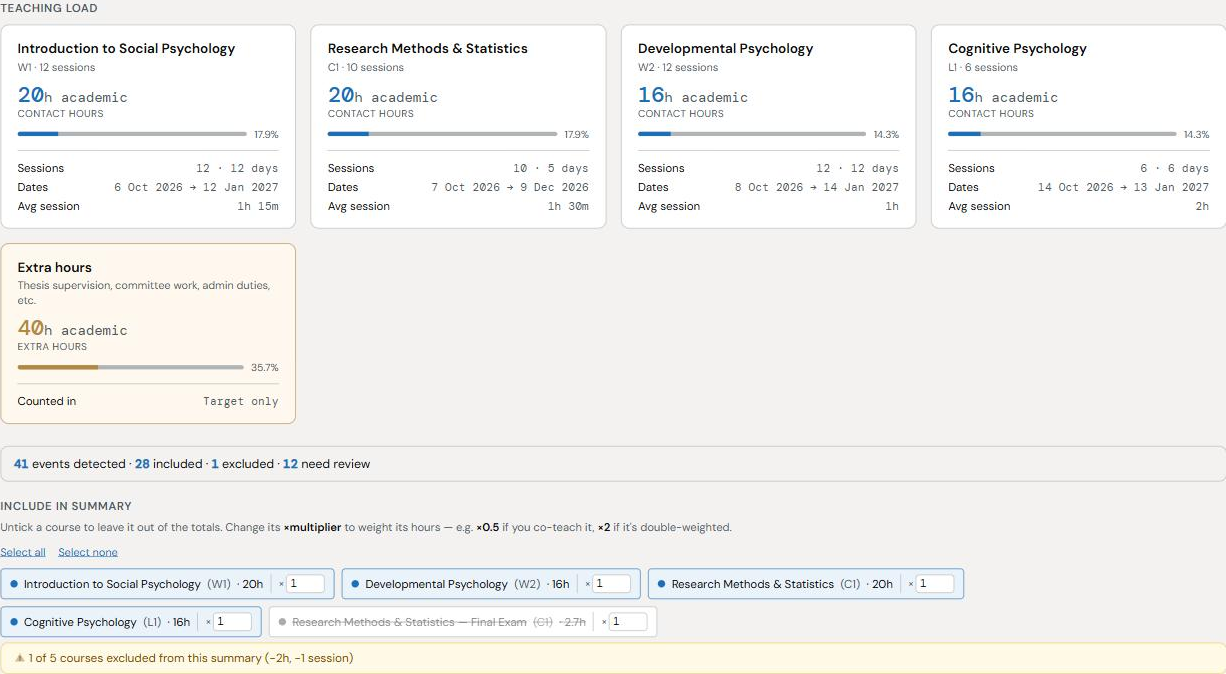 Click to try it yourself, no upload needed.
How privacy works
- How it reads your calendar: simple, rule-based matching — repeated names, times, durations, and overlaps. No AI model interprets your calendar.
- Calendar file: processed locally, never uploaded.
- Auto-save: your last calendar is kept in this browser only, so reopening the tab resumes it — clear it anytime with "Clear all."
- Calendar subscription URL: fetched once through CheckTeaching's proxy and not stored.
- Usage statistics: anonymous counters only; never calendar contents.
- Feedback: sent only when you choose to submit it.
Only have a subscription link (webcal:// / https://)?
Paste the link below and it'll be fetched and analyzed just like an uploaded file — no need to download an .ics first.
How this differs: uploaded files never leave your browser. A link can't be read directly by the browser (calendar servers block it), so it's fetched once through this site's server — not stored or logged, just passed straight back here and parsed locally like a file.
Not sure where to get one?
Check your university's staff portal or timetabling system first (e.g. USOSweb at Polish universities) — look for "export," "subscribe," "download calendar," or a small calendar/ICS icon. If all you get is a subscription link instead of a file, see the note below.
Google Calendar
Settings (gear icon) → Settings → pick your calendar under "Settings for my calendars" in the left sidebar → "Export calendar" downloads a .zip with an .ics file inside.
Outlook
Desktop: File → Open & Export → Import/Export → "Export to a file" → iCalendar. Outlook on the web: Settings → View all Outlook settings → Calendar → Shared calendars → "Publish a calendar" to get an .ics link.
Apple Calendar
Mac: select the calendar in the left sidebar → File → Export → Export... → saves an .ics file. iPhone/iPad don't offer a per-calendar export — if it's only on your phone, see the note below or export from Google/Outlook instead.
Got a subscription link (webcal://) instead of a file? Paste it straight into the "…or paste a calendar link" box above — that usually works. If a particular link won't fetch (some servers need a login), add it to Google Calendar first (Settings → Add calendar → "From URL") or Outlook (Add calendar → Subscribe from web), then export that calendar as .ics using the steps above.
What does this do?
Complete Teaching-Load Analytics
Track your weekly teaching hours, busiest days, and course distributions live against your official academic target. Get a full breakdown of contact hours per subject, plus an overall workload heatmap to help you plan breaks and administrative tasks.
Number Classes Automatically
Automatically appends clear session numbers (e.g. 1/15, 2/15) to your event titles, grouped by course. When re-imported into Google Calendar, Outlook, or Apple Calendar, you can instantly see where each class sits in the semester timeline.
Deduplication & Group Merging
Teaching two student groups during the exact same lecture slot? The tool identifies overlapping sessions with identical times/dates across catalog numbers, letting you merge their hours or weight co-taught courses accurately before downloading.
100% Local & Privacy-First
Your schedule contains sensitive personal and institutional data. All parsing, editing, and analytics happen locally inside your browser tab — your .ics calendar file is never uploaded to any external server.
See it in action (animated walkthrough)
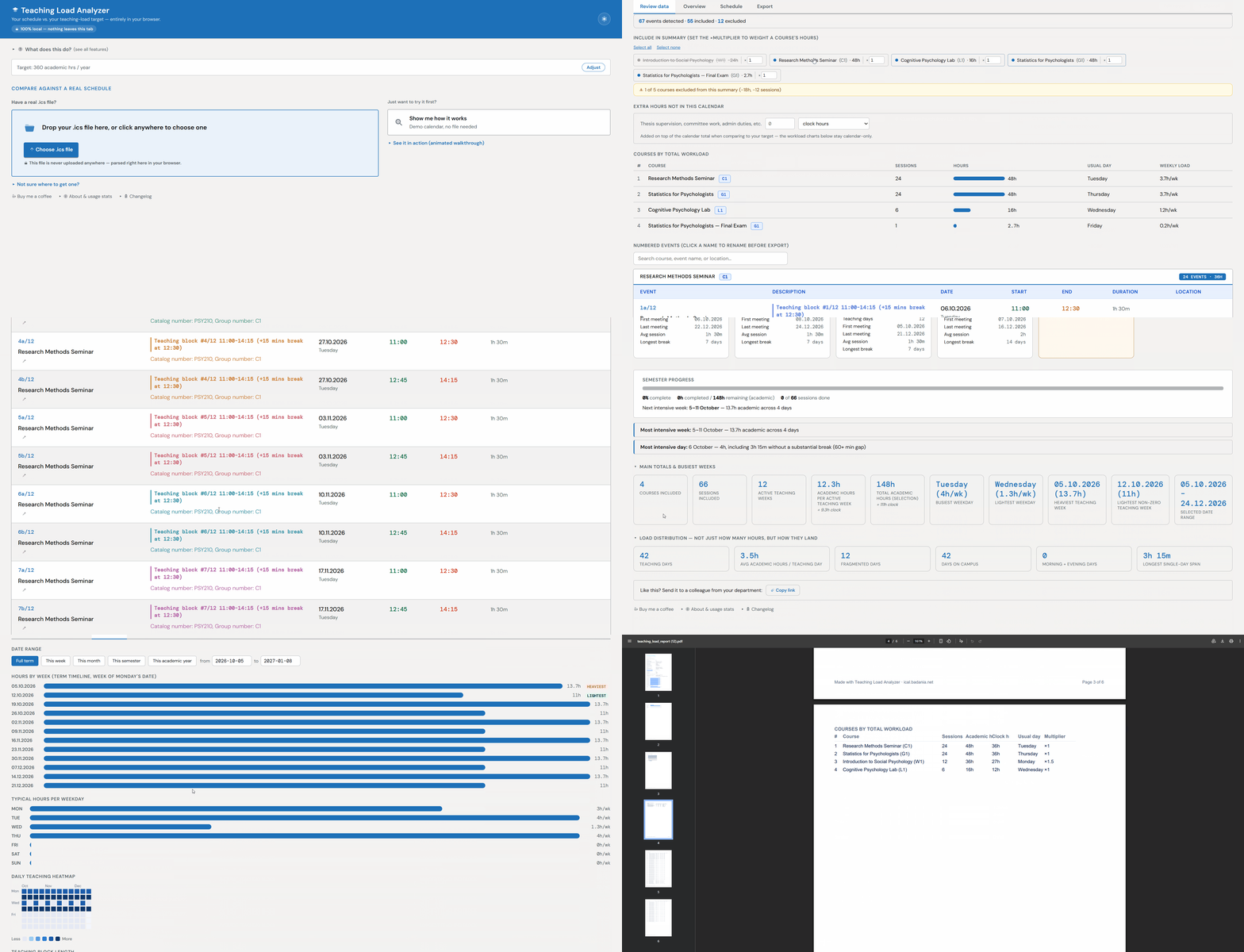
Recorded from the live tool — import, compare against your target, export.